
Portable VideOCR 1.4.1 (x64)
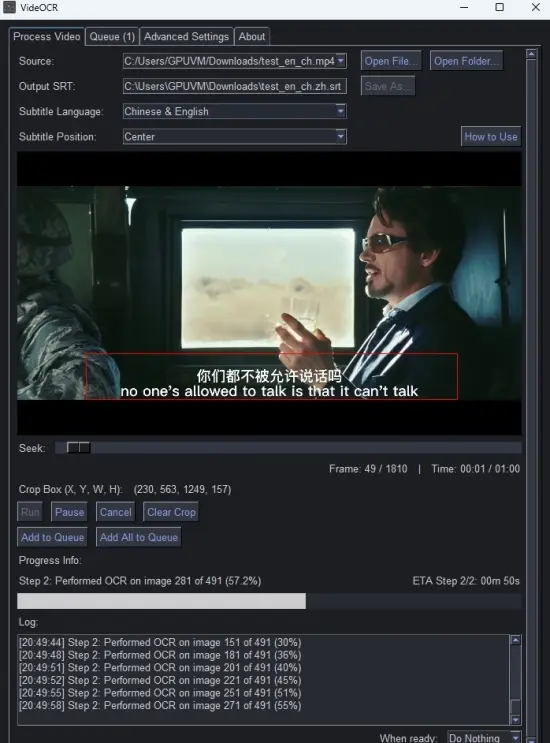
Extract hardcoded (burned-in) subtitles from videos via a simple to use GUI by utilizing the PaddleOCR OCR engine. Everything can be easily configured via a few clicks. The latest release incorporates the newest version of PaddleOCR with greatly improved OCR capabilities.
Usage
Import a video and seek through the video via the timeline. You can also use the right and left arrow keys. Then you can just draw a crop box over the right part of the video. Use click+drag to select. Afterwards you can start the subtitle extraction process via the “Run” Button.
Further options can be configured in the “Advanced Settings” Tab. You can find more info about them in the parameters section available in the CLI version.
Performance
The OCR process can be slow on the CPU. Using this in combination with a GPU is highly recommended.
Tips
When cropping, leave a bit of buffer space above and below the text to ensure accurate readings, but also don’t make the box to large.
Download VideOCR GPU
Filespayout – 1.7 GB
RapidGator – 1.7 GB